Ask your business anything.
Get answers about your sales, stock and bookings in plain English, without waiting for someone to pull the numbers.
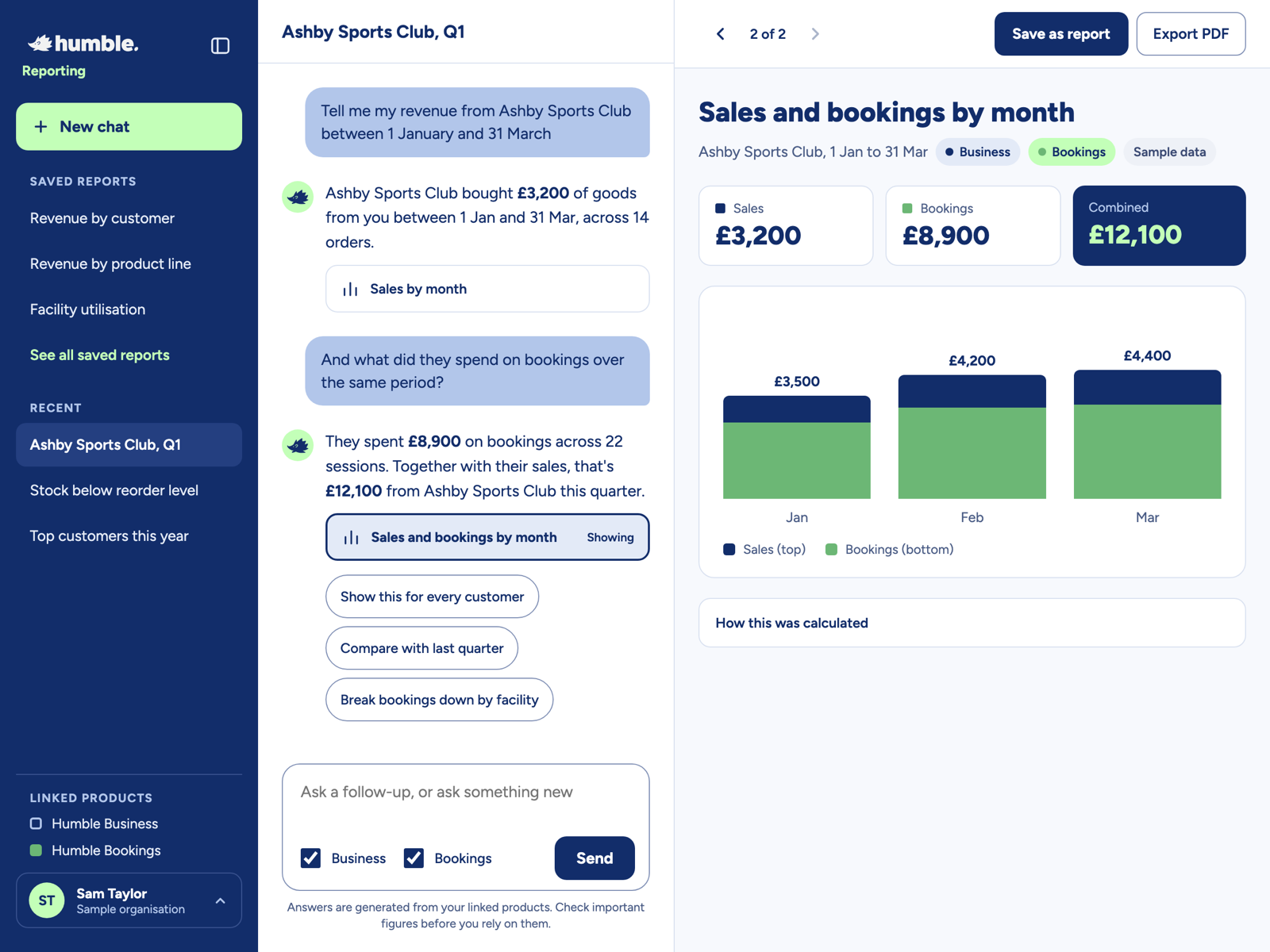
Reporting, as easy as asking a question.
If you can ask a colleague, you can use Humble Reporting.
Ask a question
Type it the way you'd say it. Revenue, stock, bookings, customers.
Save it as a report
Keep any answer you'll need again, with one click.
Change and re-run
Swap the dates or the customer in a sentence. No rebuilding reports from scratch.
Not sure what to ask? Try one of these.
A few of the questions you can ask. Follow-ups work too.
What was my revenue last month?
Humble BusinessWhich facilities were booked most this quarter?
Humble BookingsWhich customers spent the most this year?
Business and Bookings togetherWhat stock is below its reorder level?
Humble BusinessCompare that with last quarter.
Follow-up questionBreak bookings down by facility.
Humble BookingsEverything you need from a report. None of the faff.
Charts and tables, instantly
Answers come with the charts, figures and tables to back them up, right alongside the chat.
Saved reports
Save any answer as a report and find it again whenever you need it.
Re-run in a sentence
Change the dates, pick a customer or filter the results, just by asking.
All your products, one question
Ask about Humble Business, Humble Bookings and Humble LMS together, and see the combined picture.
Export to PDF
Share a report with your team, board or funders in a click.
Shows its working
Every answer lists the dates, filters and sources it used, so you can check the figures.
-
Upload your own spreadsheets
Add the data that lives outside Humble, like targets, budgets or survey results, and ask about it alongside everything else.
Answers you can check.
Humble Reporting only uses data from your linked Humble products, and it shows you exactly how it got every answer: the dates, the filters and the sources.
So when you take a figure to a board meeting or a funder, you know where it came from.
How this was calculated
Filters applied: Customer is Ashby Sports Club. Dates are 1 Jan to 31 Mar. Sources are Humble Business and Humble Bookings.
Works with your Humble products.
Link the products you use, and ask about any of them, or all of them at once.



Questions about Humble Reporting
Anything else? Drop us a line at team@wearehumble.co.uk.
Not at all. Ask your question the way you'd ask a colleague, and Humble Reporting does the rest.
Humble Business, Humble Bookings and Humble LMS. If you use more than one, you can ask about them together in one question.
Every answer shows the dates, filters and sources it used, so you can see exactly how it was worked out. As with any report, check important figures before you rely on them.
Yes. Export any report as a PDF to share with your team, board or funders.
Spend less time digging for numbers.
Book a demo and see what Humble Reporting can tell you about your business.